

How I Track and Manage My Subscriptions
Learn how to keep your subscription list tight and curb unnecessary hidden spending.

Subscriptions are a part of everyone's expenses nowadays.
That isn't usually a problem when you're paying for something you regularly use and get value out of, but we often continue paying for things we might not use anymore or use very little, which doesn't justify the spend.
Moreover, this spending problem stays under the radar because a paid subscription on its own looks perfectly reasonable. $4.99/month here. $50/year there. When the cumulative spend could be significant if you've been subscribed for months or years.
For example, when I started tracking my subscriptions, I noticed that I'd spent over $200 on Netflix and YouTube Premium each and around $400 on iCloud+ over the years.
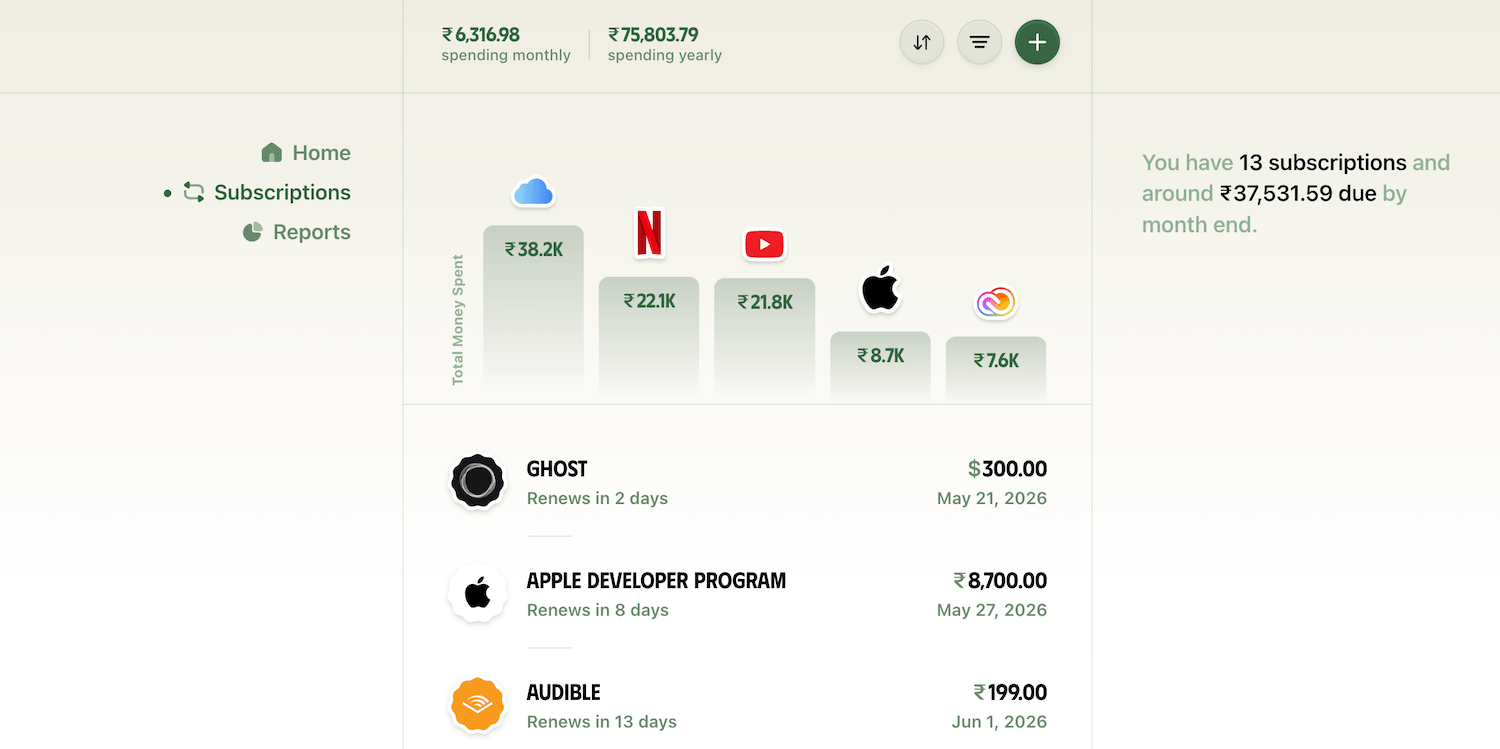
I didn't realise this before because I was only seeing it as ₹649/month (~$6.75/month) or ₹749/month.
That's the real problem with subscriptions.
It's not that any one of them is expensive. It's that the charges snowball over time, and if it's not something of value, you're essentially wasting money on autopilot.
In this blog post, I'll show you how I've been tracking my paid subscriptions and how you can track and manage yours through a straightforward workflow that ensures that you're only subscribed to what you actually use.
Let's start by:
Understanding the problem further
One of the primary visibility problems with subscriptions is that they are scattered.
Some are billed through the App Store or Google Play because you subscribed to these services on your phone. And the rest from a gazillion other sources because you subscribed to a service on the Web.
There's no single screen that shows you all of them at once.
And you only really notice a subscription when the charge hits your account. By that point, you've already been billed, so the earliest you can do anything about it is next month or next year.
A spreadsheet sounds like a fix, but it's quite limited.
For example, a simple table might give you a current overview, but you either have to keep updating it to match the next billing dates or write extensive formulas to do the job.
Moreover, a spreadsheet won't remind you when a subscription charge hits, so that you can decide to keep or cancel the subscription.
It's a passive list.
A better approach is to use a subscription tracker app to do this management for you once set up.
You can choose whichever app suits your needs. I use Ducat because it not only lets me see my subscriptions and recurring commitments easily, but also accounts for those expenses in my daily expense tracking.
Subscriptions and one-time expenses are better tracked together, and this app does that job well.
Here's how it works:
First, let's start by:
Adding all active subscriptions
I used three sources to find services I've subscribed to. Feel free to tweak as needed.
First, the App Store or Google Play Store is the most convenient starting point.
For example, if, like me, you use an iOS device, you can open the App Store, go to your profile, and tap Subscriptions to see a list of your active subscriptions:
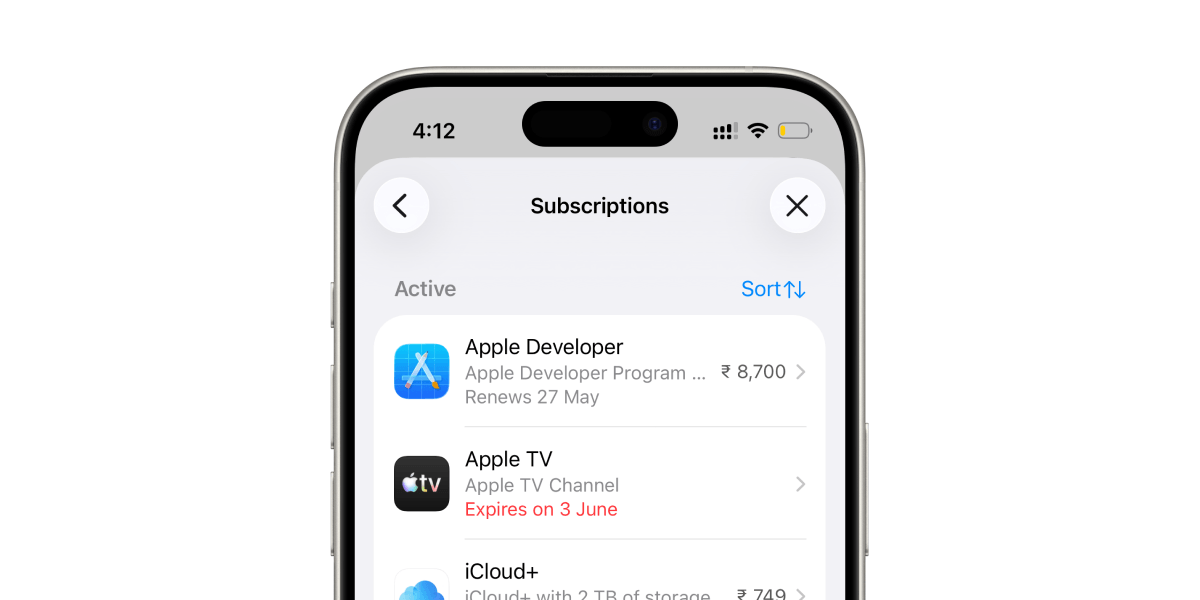
Once I had the list of my active subscriptions through App Store, the next step was to track these subscriptions in the Ducat app.
Clicking the + button in the Subscriptions page presents a list of suggested subscription vendors to choose from:
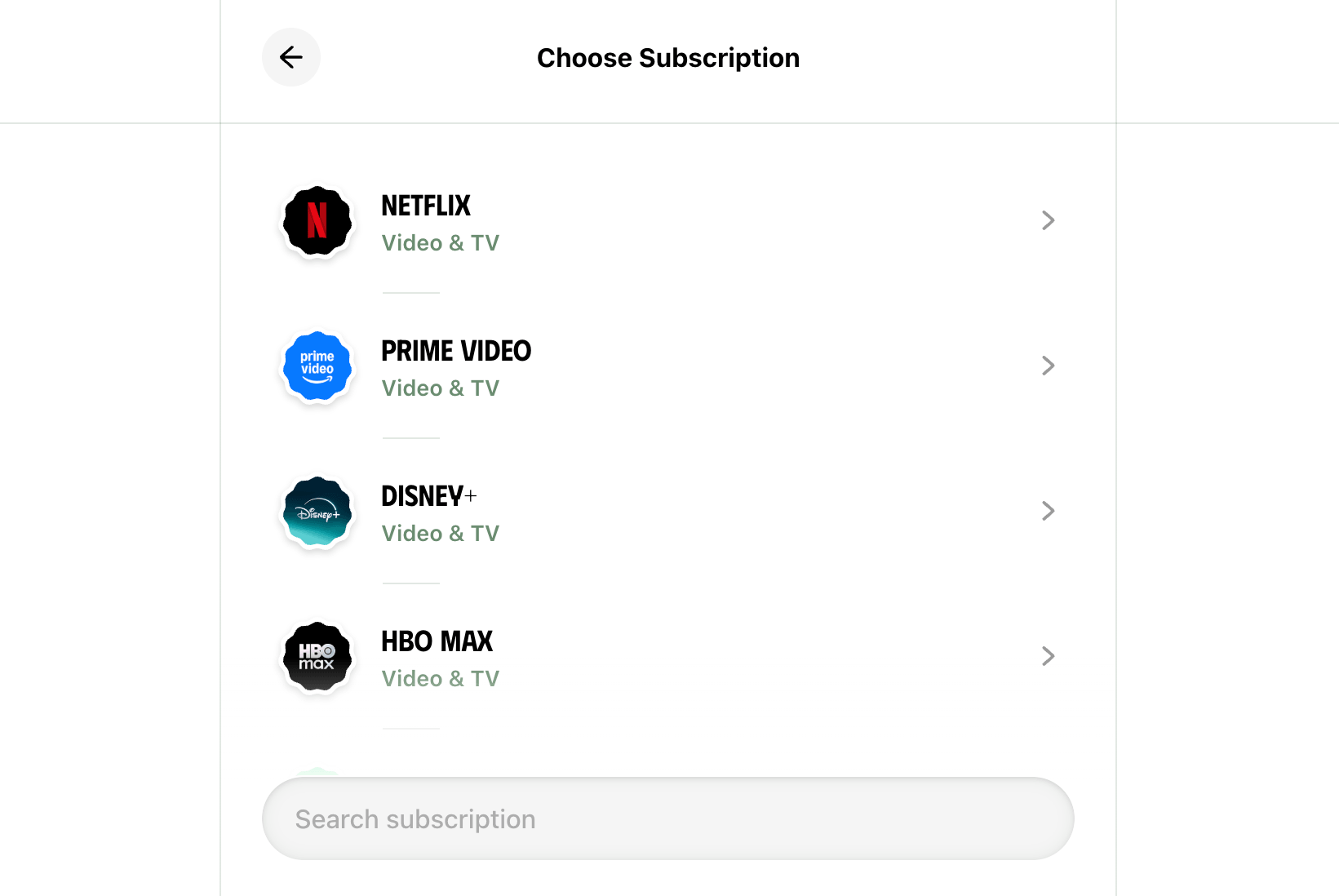
I can search the service I'm subscribed to, choose it from the list and fill in the relevant details such as price, billing frequency, start date, etc.
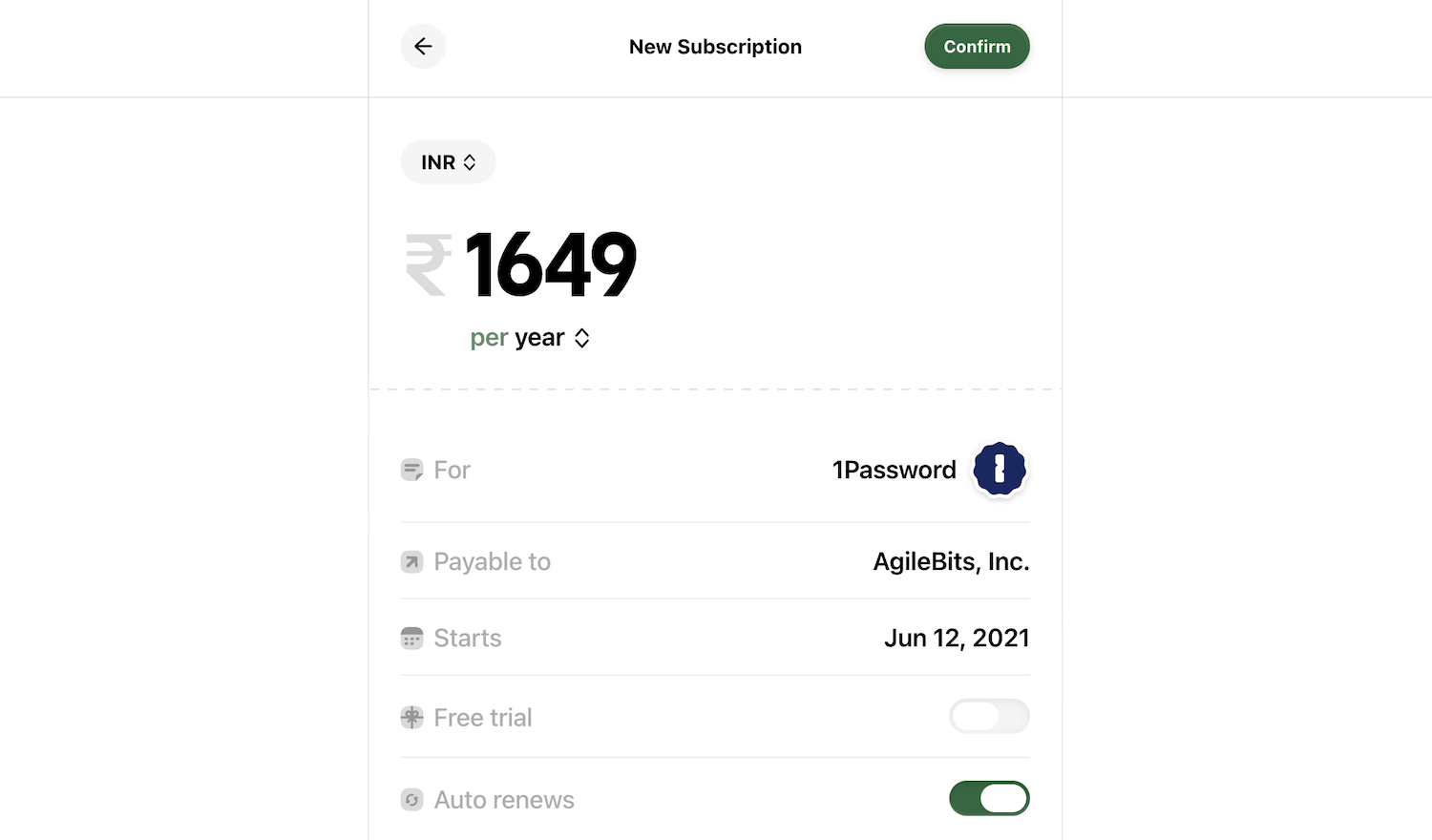
Now, App Store doesn't show when a subscription started, so I searched for this subscription in my email to see when I first subscribed to this service:
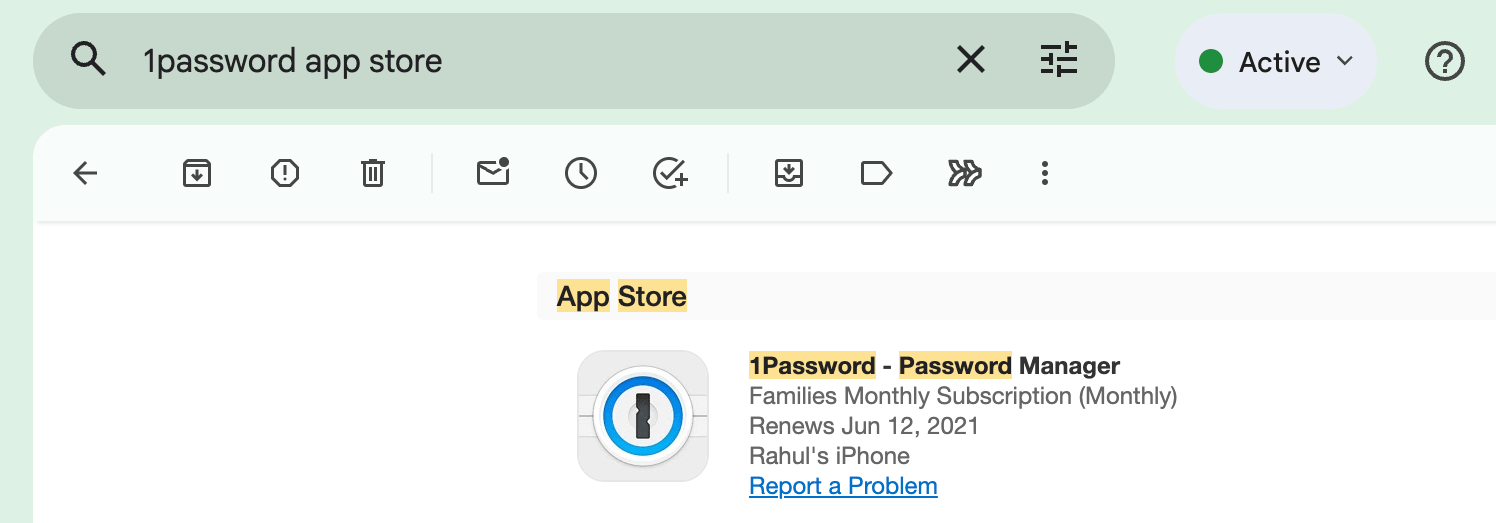
Adding an accurate start date here helps because Ducat can estimate how much you've spent on this subscription so far.
This is how I realised I had already spent around $400 on iCloud+ so far.
Before saving, we can set the subscription source as App Store, so that we can quickly identify where this subscription is billed later on:

Also, I usually keep the reminder date to 3 days before, but you can switch it to other options.
Finally, if I need to remember something about the subscription, such as if I subscribed at a discounted pricing which might lapse on cancellation, I can note that in the Personal notes section to remember it later:

Once saved, the subscription now shows up in the subscriptions list.
Now, once I tracked all active subscriptions from the App Store, I moved on to finding services subscribed to outside of it.
One of the easiest approaches was to simply look at the apps and services on my phone and laptop and think of anything I regularly use, such as YouTube Premium, and add these subscriptions to Ducat as before.
But there were still some services that I used a while ago that I don't use much anymore.
For such services, I opened my email app and searched for phrases like "renews", "billing", "subscription", etc.
If you use Gmail, you can paste the filter, ("renews" OR "billing"), in the search box to surface many of your subscription billing emails:
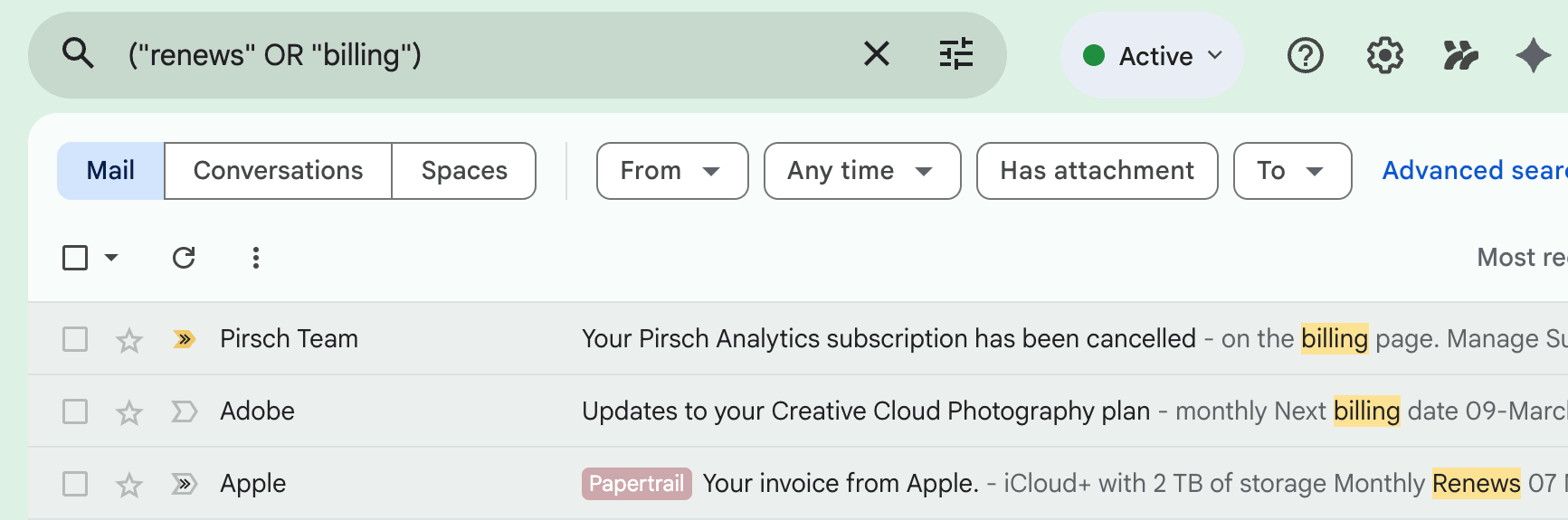
Between these three sources, I tracked at least 90% of my paid subscriptions, which was enough to start and get an idea of my recurring spends.
Now that we have tracked, if not all, at least most of our subscriptions, let's:
Do a light editing
Once everything is in Ducat, the Subscription screen tells a clear story of the state of your subscriptions.
First, the top subscriptions chart shows your five biggest spends ranked by total amount paid since you started the subscription:
This is the number that can be surprising.
The figure might not be exact, but it gives you a ballpark estimate of what you've spent on something over the time you've been subscribed to the service.
We don't usually realise we've been quietly blowing so much money on a subscription until we see the cumulative spend.
Another useful piece of information on the Subscriptions page is the total amount you're still committed to spend before the month ends.
For example, apart from all the subscriptions I had already paid for this month, I can see I still have two expensive renewals totalling close to ₹37,531.59 (~$390) due to renew before the month ends:
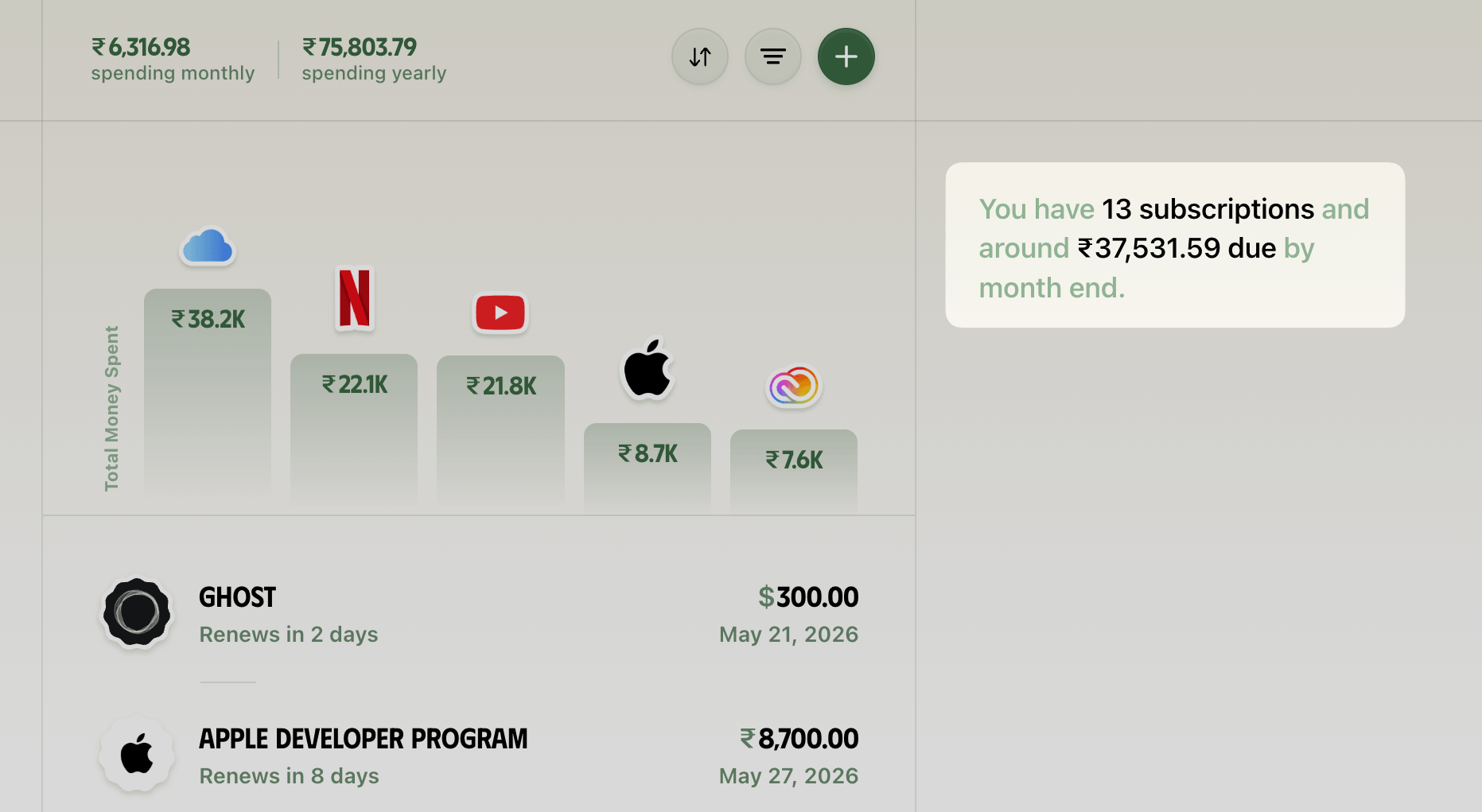
This gives a heads up on what's coming, and we can act accordingly on whether to keep or cancel these subscriptions.
The Home screen provides a more narrowed view by showing a timeline of all subscription payments due in the next 7 days:
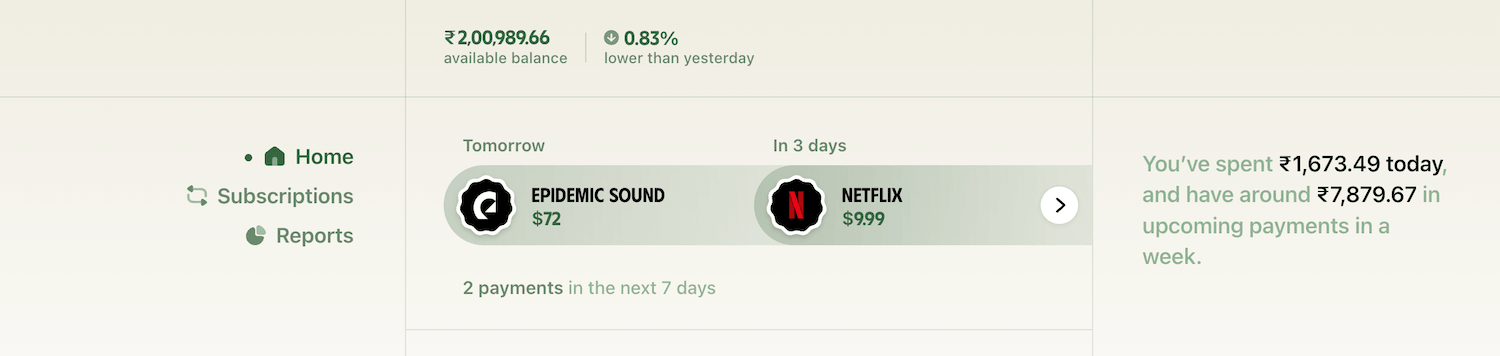
With this information at hand, we can do an initial audit and use this opportunity to cancel any unused subscriptions.
For example, while looking at my subscriptions dashboard, I saw I was subscribed to Epidemic Sound, but I realised I hadn't used it in months.
I had subscribed to it to download soundtracks for my YouTube videos, but I haven't been making videos lately, so I no longer need this subscription.
I can therefore cancel it before the renewal date, save the money now, and resubscribe whenever required.
This is where Ducat helps a bit more by handing me a link to a service's cancellation help page whenever possible.
On the Epidemic Sound subscription page, I can see the subscription source is highlighted in green and hovering over it shows the following help message:
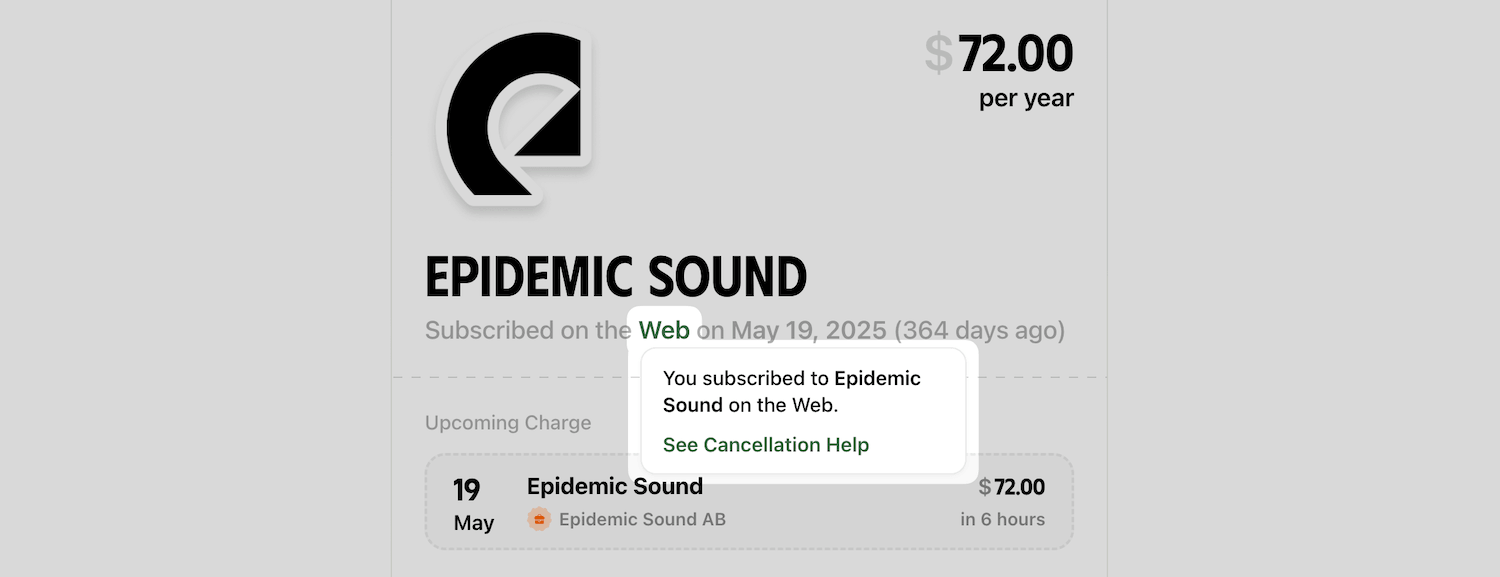
Clicking on the link here takes me to the Epidemic Sound help page, which can guide me through the cancellation process.
This is helpful sometimes, as many companies tend to bury their cancellation page deep within the app settings. So, instead of spending time finding that tiny setting, the help page provides a shortcut.
It removes the usual friction of searching for "how do I cancel X."
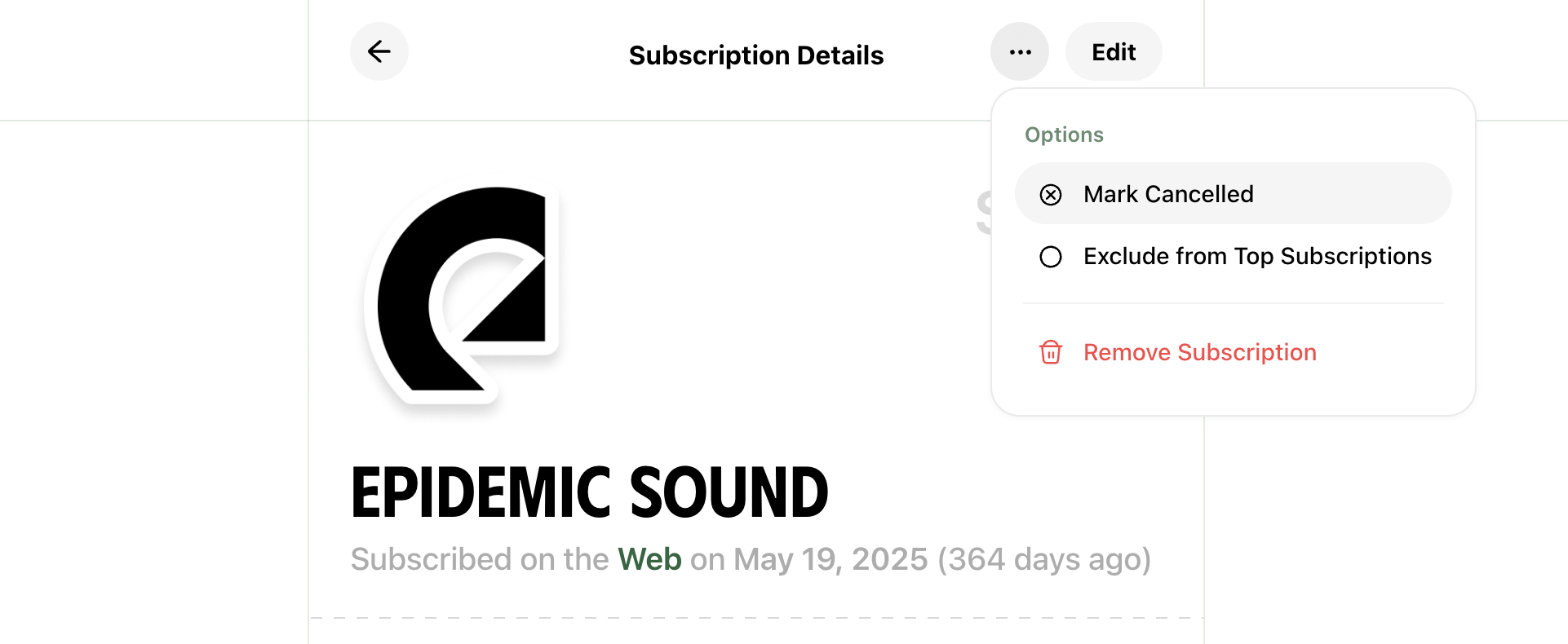
After cancelling my Epidemic Sound subscription, I marked it as cancelled on Ducat so that it doesn't count in my active subscriptions anymore:
Now, while active subscriptions can quietly drain our bank balance, another thing we often neglect is a free trial that automatically converts to a paid subscription.
Here's how to:
Manage free trials
Free trials are a fantastic way to test a product or service before committing to a subscription.
But the problem is that many services ask for your payment details upfront and automatically convert the trial into a paid subscription the moment it ends.
It's easy to sign up for several of these in a short stretch of time, and then forget about all of them until you see the charge on your bank account statement.
One of the ways I manage free trials is to immediately cancel the trial if the app allows me to keep access to the service until the trial ends.
This ensures that even if I forget to cancel the trial before it auto-converts into a paid subscription, I don't get charged. My access simply expires after the free trial period.
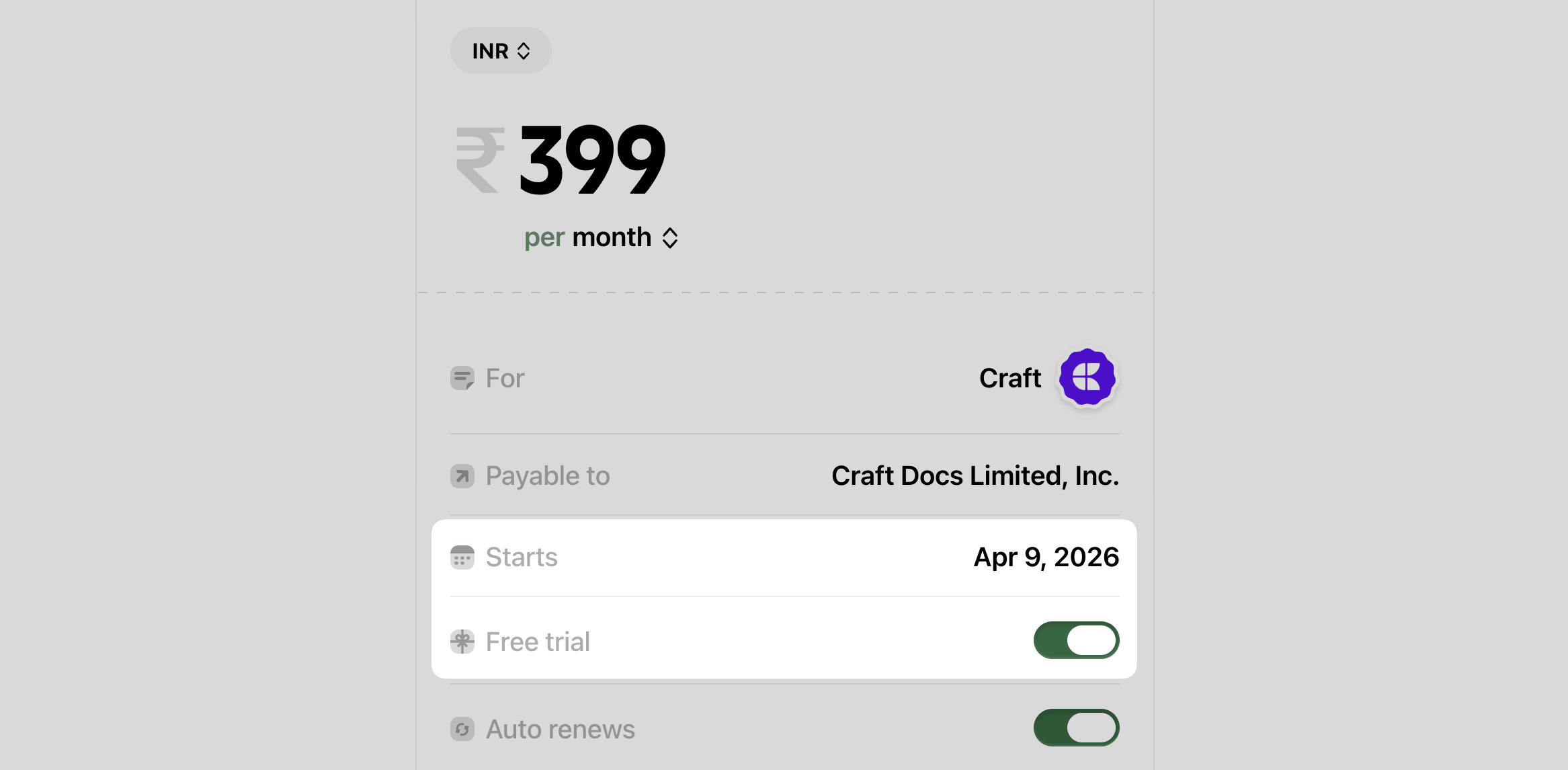
But if you think you might actually use the service, or don't want to cancel and then resubscribe for any reason, Ducat helps.
After starting a trial subscription, you can add it to Ducat with the Free trial switch turned on:
Two days before the trial ends, Ducat will send you an email reminder:
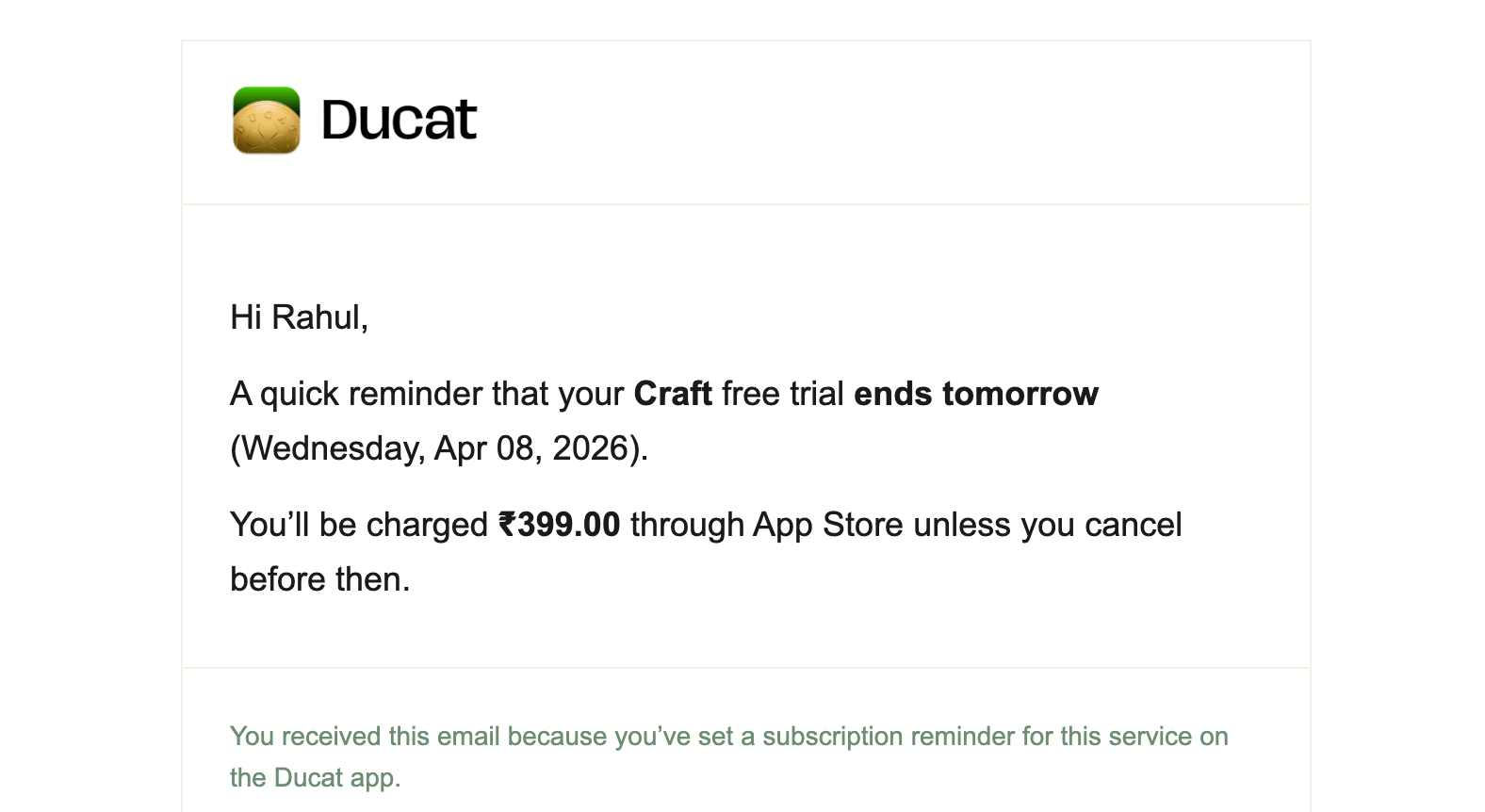
You can cancel the trial before you're charged, or let it convert if you've found it useful. Either way, you get to consciously cancel or keep the subscription and avoid seeing a surprise charge.
Now, while this one-time exercise will help you prune your subscription list, it's better to:
Make tracking a regular habit
We usually keep subscribing to apps and services, and if we don't keep an eye on these new subscriptions, then we're back to square one.
Fortunately, apps like Ducat make the process easy.
Every time you sign up for something new, open Ducat and add the new subscription.
Once added, Ducat will send you renewal reminders before you're charged for it, like this:
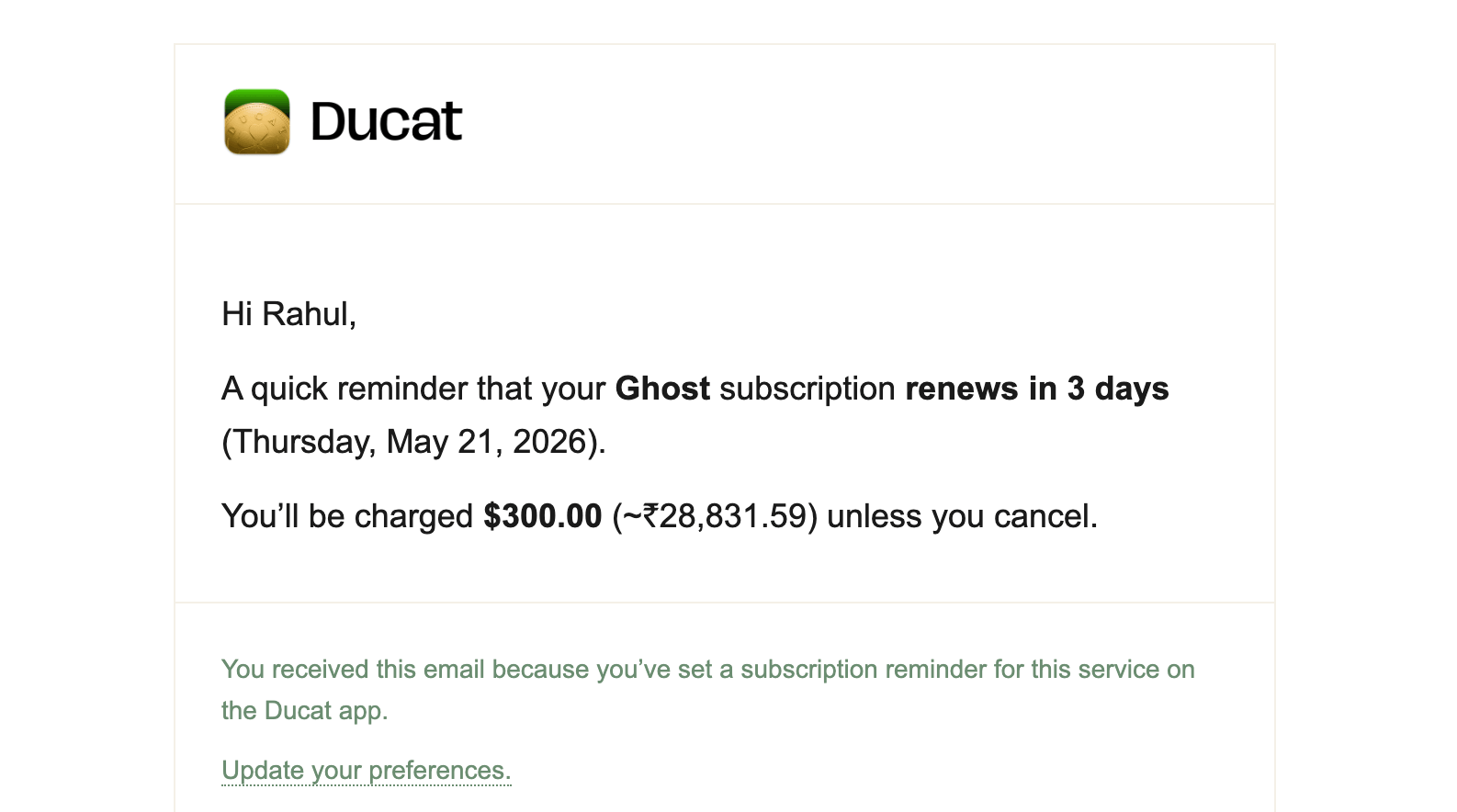
Here, the subscription I tracked is charged in USD while my home currency is INR, so Ducat converted the charge amount into an approximate local amount for easy comprehension.
Another way to keep an eye on all subscriptions is to look for recurring spends in reports.
For example, the weekly or monthly reports breakdown shows what percentage of your total spending went to subscriptions, the exact amount, and which services were charged in that period.
This allows you to revisit your existing subscriptions and prune your list as needed.
Subscriptions are the new norm, and they're not bad if you keep getting recurring value out of the product, be it work or entertainment.
The problem appears when we lose sight of what we're subscribed to.
Try the techniques in this article to have a bird's-eye view of all your subscriptions and be aware before that next charge hits your account.